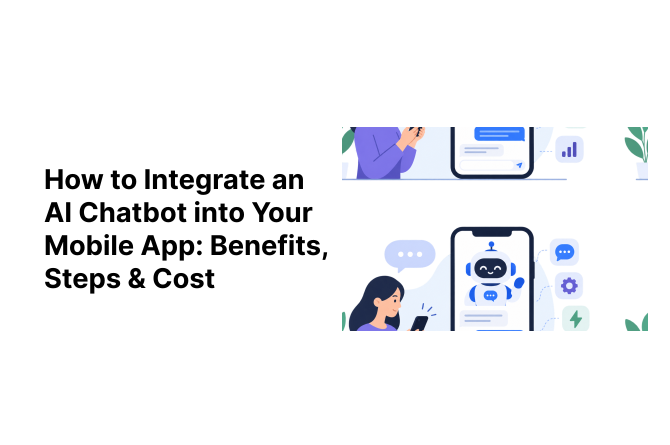
Think about the last time you messaged a brand on their app and got a helpful reply in seconds, not hours. That’s not luck. That’s an AI chatbot doing its job quietly in the background.
More app owners now want to integrate an AI chatbot into mobile app experiences because users expect instant answers, not “we’ll get back to you in 24 hours.”
But between benefits, tech choices, and pricing, most founders have the same three questions: How does this actually work? What will it cost? And is it worth it?
This guide breaks it all down, no fluff, just what you need to plan your build.
AI Chatbot Market Data: Quick Snapshot
Before we get into the how-to, here’s why this isn’t a “nice to have” feature anymore:
| Market Data Point | Figure | Source |
|---|---|---|
| Mobile app / in-app bot services market (2026) | $5.11 billion, growing to $19.82B by 2031 (31.2% CAGR) | Mordor Intelligence |
That’s a market growing nearly 4x in five years, and mobile is one of the fastest corners of it. That’s exactly the gap an in-app AI chatbot fills.
What is an AI Chatbot in a Mobile App?
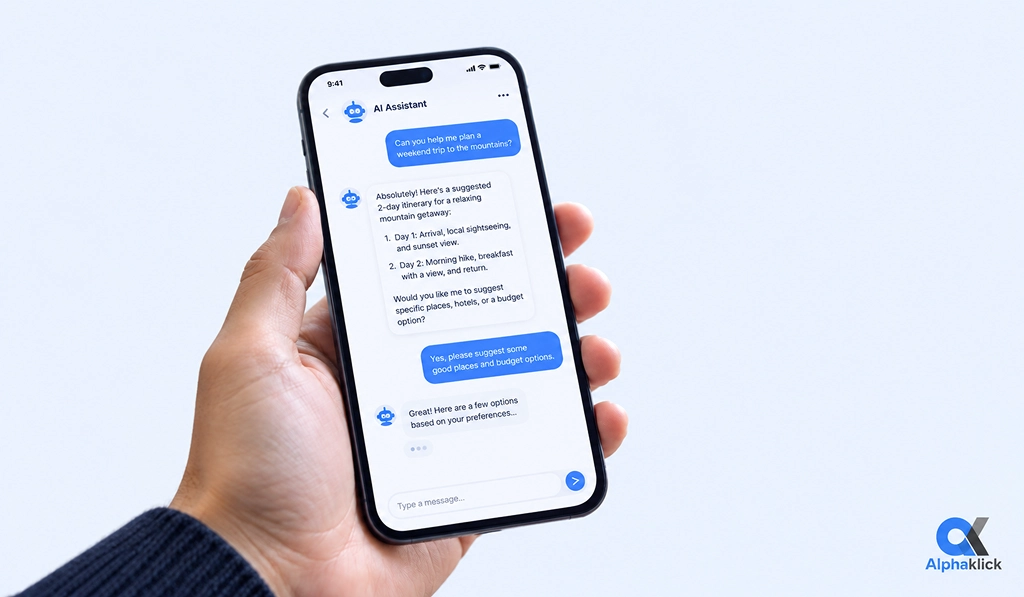
An AI chatbot is a feature inside your app that talks to users like a real assistant. It answers questions, guides them through tasks, and sometimes even completes actions like booking a slot or tracking an order.
There are three broad types:
- Rule-based bots: follow a fixed decision tree (“Press 1 for support”).
- AI/NLP-based bots: understand intent using natural language processing, not just keywords.
- LLM-powered bots: run on large language models (like GPT or Claude) and can hold real, flowing conversations.
Most modern apps, from healthcare to e-commerce to EdTech, use chatbots for support, onboarding, sales, or as an always-on in-app assistant.
If you’re still unclear on where a chatbot fits versus more advanced automation, our guide on AI Agents vs AI Assistants: What’s the Difference? breaks down the terminology in plain language.
Why Integrate an AI Chatbot into Your Mobile App (Benefits)
Here are the real, measurable benefits of an AI chatbot in mobile apps that founders care about:
- 24/7 support, no extra headcount: the bot never sleeps and answers instantly, even at 2 AM.
- Lower support costs: chatbots deflect a large share of routine tickets, freeing your team for complex issues.
- Personalization that sticks: a bot that remembers past orders feels like a helpful shop assistant, not software.
- Higher conversions: guided product discovery, cart recovery nudges, and instant lead qualification happen inside the chat.
- Data you can use: every conversation is a mini survey into what users actually want.
- Built-in scalability: the bot handles 10 or 10,000 conversations the same way during a traffic spike.
In our own client builds, we’ve seen support response times drop from hours to seconds once a chatbot takes the first line of queries.
Types of AI Chatbots You Can Integrate
Not every app needs the same kind of bot. Here’s a quick comparison to help you pick the right starting point:
| Chatbot Type | Best For | Complexity |
|---|---|---|
| FAQ / Support Bot | Simple Q&A, order status, policy questions | Low |
| Transactional Bot | Bookings, orders, payments, form-filling | Medium |
| Conversational Assistant (LLM-based) | Open-ended queries, personalized recommendations | High |
| Voice-Enabled Chatbot | Hands-free use, accessibility, in-car or in-app voice commands | High |
| Hybrid (Rules + AI + Human Handoff) | Mixed use cases where some queries need a real person | Medium–High |
Most businesses start with an FAQ bot and grow into a conversational assistant as they see what users actually ask.
If your use case leans toward a fully autonomous assistant rather than a simple Q&A bot, it’s worth reading our guide on How to Build a Custom AI Agent: Features, Tech Stack, Process & Cost to see how agents differ in scope and build complexity.
Key Features to Include for a Production-Ready Chatbot
Before you build, make sure your chatbot includes:
- NLP/NLU and intent recognition: so it understands “where’s my order” and “track my package” mean the same thing
- Multi-language support: especially important for apps with a global user base
- Context retention: remembering what the user said two messages ago
- Human handoff: a smooth exit to a live agent when the bot hits its limit
- Rich media replies: buttons, carousels, and quick-reply chips instead of walls of text
- Analytics dashboard: to see what’s working and what’s confusing users
- Security and privacy controls: encrypted chats and clear data-handling rules
Steps to Add AI Chatbot to Android and iOS App
Here’s the step-by-step process we follow when we help clients integrate an AI chatbot into mobile app projects, whether it’s a fresh build or an existing app. This is the technical sequence, not just the high-level plan.
Step 1: Define the use case and scope the intents
List every task the bot needs to handle: order tracking, FAQs, bookings, and map each to a specific “intent.” This list becomes the backbone of your prompt design or training data.
Step 2: Pick your architecture
Choose between a pre-built platform (Dialogflow, Microsoft Bot Framework), a direct LLM API connection (OpenAI, Anthropic Claude, Google Gemini), or a custom-trained NLP model. For most teams, a direct API with your own orchestration layer gives the best balance of cost, speed, and control.
Step 3: Set up the backend orchestration layer
A server (Node.js, Python/FastAPI, or similar) sits between your app and the AI provider. It handles authentication (API keys or OAuth), manages sessions, applies safety filters, and, for RAG-based bots, queries a vector database before calling the LLM.
Step 4: Design the conversation flow and system prompt
Write the system prompt that defines tone, boundaries, and knowledge. Map fallback logic: what happens when confidence is low and when to trigger human handoff.
Step 5: Build the RAG pipeline (if needed)
If the bot answers from your product docs or knowledge base, chunk and embed that content into a vector database (Pinecone, Weaviate, or pgvector). Each query is converted to an embedding, matched against the closest chunks, and passed to the LLM as context.
Step 6: Integrate into the app layer
This is the core technical step for how to add AI chatbot to Android and iOS app, connect via REST API or WebSocket for streaming responses, using native SDKs for Swift (iOS) and Kotlin with coroutines (Android), or a shared codebase for Flutter/React Native. Store the conversation ID locally so context persists across sessions.
Step 7: Connect your backend systems
Link the orchestration layer to your CRM, order database, or payment gateway via secure API calls, so the bot can complete actions, not just talk.
Step 8: Test rigorously
Run accuracy tests against your intent list, stress-test edge cases, and specifically test what happens when the bot doesn’t understand.
Step 9: Deploy, monitor, and retrain
Launch with logging enabled on every conversation (anonymized for privacy), track intent-recognition accuracy and fallback rate, and periodically retrain based on real queries.
These are the same steps to add an AI chatbot to Android and iOS apps we walk clients through on every project, adjusted for whether the app is brand new or already live.
API vs SDK vs WebView Chatbot Integration
One decision trips up almost every team: how should the chatbot actually plug into the app? Here’s the API vs SDK vs WebView chatbot integration comparison we share with clients:
| Method | How It Works | Pros | Cons |
|---|---|---|---|
| Direct API | App calls the LLM/chatbot API directly | Full control, custom UI, best performance | More dev time upfront |
| Native SDK | Vendor-provided SDK handles chat UI and logic | Faster to implement, maintained by vendor | Less flexibility, possible vendor lock-in |
| WebView | Chat widget loaded inside an embedded browser view | Quick to deploy, easy to update | Feels less native, weaker performance on low-end devices |
For most apps that want a polished, branded experience, a direct API integration with a custom UI wins in the long run, even though it takes a bit more effort to build.
AI Chatbot Integration Cost for Mobile Apps
This is the question everyone actually wants answered. AI chatbot integration cost for mobile apps depends on three things: the chatbot type, how deep the integration goes, and ongoing API usage.
Here’s a realistic breakdown:
| Chatbot Type | One-Time Development Cost | Timeline |
|---|---|---|
| Basic FAQ bot (rule-based) | $2,000 – $6,000 | 2–4 weeks |
| AI/NLP chatbot (intent-based) | $6,000 – $15,000 | 4–8 weeks |
| LLM-powered conversational assistant | $15,000 – $40,000+ | 8–14 weeks |
| Multilingual / voice-enabled bot | $25,000 – $50,000+ | 10–16 weeks |
Comparing rule-based vs LLM chatbot integration cost, the gap is significant: a rule-based bot is cheaper and faster to ship, but an LLM-based one handles far more natural, unscripted conversations and scales better with your user base.
If you’re building a GPT-powered RAG chatbot mobile app cost estimate, expect it to sit at the higher end, since Retrieval-Augmented Generation setups need a vector database, document indexing, and careful prompt engineering on top of the base LLM connection.
Then there are the monthly AI chatbot API and hosting costs many founders forget to budget for:
- LLM API usage (token-based): $50 – $2,000+/month depending on chat volume
- Hosting and infrastructure: $20 – $300/month
- Vector database (for RAG bots): $50 – $500/month
- Ongoing maintenance and retraining: 15–20% of the initial build cost per year
The true cost isn’t just the build; it’s the build plus what you pay every month to keep the bot running smart.
For a broader look at AI feature pricing beyond chatbots, think recommendation engines, symptom checkers, or predictive analytics, see our full guide on AI Mobile App Development Cost in 2026.
Challenges to Watch Out For
Before you sign off on the build, plan for these:
- Data privacy and compliance: GDPR, HIPAA, or other regulations may apply depending on your industry
- Hallucination control: LLM bots can confidently say wrong things without proper guardrails
- Latency and offline handling: a slow or broken bot is worse than no bot at all
- Cost creep: long conversation histories sent on every message can quietly inflate your monthly API bill
How AlphaKlick Helps You Integrate an AI Chatbot into Your Mobile App
This is exactly the kind of work we do at AlphaKlick. As an AI mobile app development company in India, we bring mobile app development and AI development together under one roof, so you’re not juggling two vendors who don’t talk to each other.
Here’s how we help clients integrate an AI chatbot into mobile app projects, end-to-end:
- Discovery call to understand your use case, users, and budget
- Chatbot strategy, deciding rule-based, NLP, or LLM-based, and where RAG makes sense
- Tech stack selection matched to your existing app (Swift, Kotlin, Flutter, or React Native)
- Build and integration, including prompt engineering and backend connections
- QA and testing, covering edge cases and fallback conversations
- Deployment and post-launch support, with ongoing monitoring and API cost optimization
We’ve built AI-powered features across healthcare, EdTech, and e-commerce apps, backed by a 4.9 rating on Clutch and hundreds of completed projects.
Ready to Give Your App a Voice of Its Own?
You’ve read the steps, seen the costs, and know what a production-ready chatbot needs. The next move is figuring out what it actually looks like for your app, which architecture fits, what it’ll realistically cost, and how fast you can get it live.
That’s exactly the conversation our team has with founders every week. No sales pitch, no jargon, just a clear look at your app, your users, and the right chatbot approach for your budget and timeline.
Book Your Free Consultation Today! 30 minutes. Zero obligation. A clear roadmap for your AI chatbot.
FAQs
Question: How long does it take to integrate an AI chatbot into a mobile app?
Answer: A basic FAQ bot can go live in 2–4 weeks. A full LLM-powered assistant with backend integration usually takes 8–14 weeks.
Question: Can I add an AI chatbot to an existing app without rebuilding it?
Answer: Yes. Most chatbots integrate through an API or SDK layer added on top of your current app; no rebuild required.
Question: Which is better: ChatGPT API or a custom-trained chatbot?
Answer: It depends on your need. The ChatGPT (or Claude) API is faster to launch and handles broad conversations well. A custom-trained chatbot works better when you need tight control over responses in a specialized domain.
Question: Is chatbot integration expensive to maintain long-term?
Answer: Not if it’s built well. Monthly API and hosting costs are usually a small fraction of the initial build cost, though usage-heavy apps should budget more.
Question: Do AI chatbots work offline?
Answer: Most cloud-based LLM chatbots need an internet connection. Some rule-based bots can work offline for basic, pre-scripted responses.