It started with a phone call from a doctor. He told us about a problem he saw play out in his clinic almost every week: patients managing conditions like hypertension and diabetes kept missing doses, not out of carelessness, but because life simply got in the way. “I don’t need anything complicated,” he said. “I just want my patients to stop forgetting.”
That one sentence is where this guide begins. It’s the same problem, at different scales, behind most of medication reminder mobile app development today.
If you’re a founder, healthcare provider, or entrepreneur wondering how to build a medication reminder mobile app that people actually trust and use daily, this guide walks you through everything: features, tech stack, cost, compliance, and real-world lessons.
What is a Medication Reminder Mobile App?
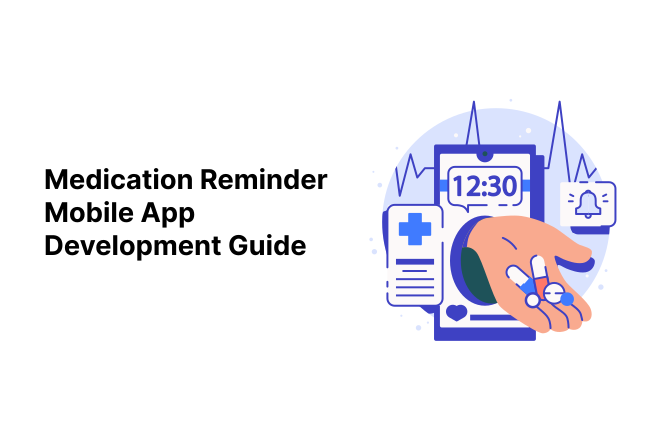
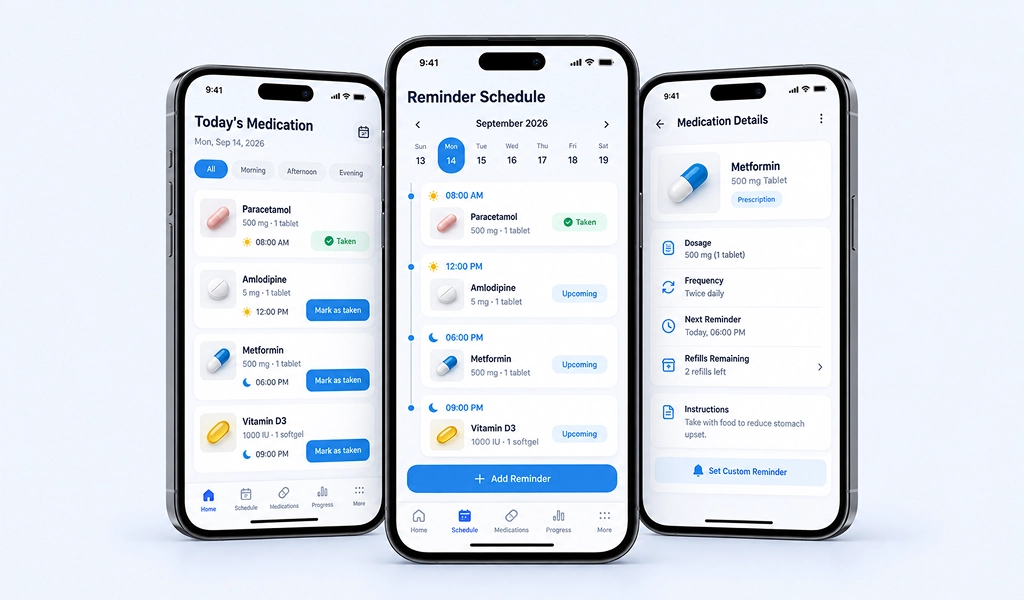
At its core, a medication reminder mobile app is a mobile application that helps users track, schedule, and remember to take their medications on time. But the good ones go far beyond a basic notification.
Modern mobile apps typically help users:
- Set custom schedules for multiple medications
- Track dosage history and missed doses
- Get refill alerts before they run out
- Share progress with caregivers or doctors
- Store prescription details and instructions
Think of it as a digital pillbox, one that never forgets, never sleeps, and never gets confused about which pill goes with which meal.
Market Overview & Opportunity
The digital health space is growing fast, and medication management is one of its most practical corners.
Mordor Intelligence values the global medication adherence market at roughly USD 5.56 billion in 2026, noting that about half of all patients don’t follow their prescribed regimens, rising to 60% among older adults.
The Business Research Company projects it to reach $7.35 billion by 2030.
The demand is real, and the audience is wider than you’d think:
| Audience | Why They Need It |
|---|---|
| Elderly patients | Multiple daily medications, memory challenges |
| Chronic illness patients | Long-term treatment plans (diabetes, BP, etc.) |
| Caregivers & family members | Remote monitoring of loved ones |
| Clinics & hospitals | Improving patient outcomes and follow-up |
| Pharmacies | Refill reminders and customer retention |
If you’re exploring this space, understanding your primary audience early will shape almost every design and feature decision down the line.
Must-Have Features for a Medication Reminder Mobile App
Before jumping into anything fancy, get the fundamentals right. This is the foundation of any solid medication reminder mobile app development project:
- Smart Reminders & Notifications: Customizable alarms that adjust to a patient’s real schedule, not just a generic time slot.
- Dosage Tracking: A simple log of what’s been taken, missed, or skipped.
- Refill Alerts: Notifies users before medication runs out.
- Caregiver/Family Sharing: Lets a family member or nurse monitor adherence remotely.
- Prescription Scanning (OCR): Snap a photo of a prescription label, and the app auto-fills the details.
- Offline Functionality: Reminders should work even without internet; health doesn’t wait for Wi-Fi.
These aren’t optional extras. All of them form the backbone of pill reminder app features and tech stack decisions that come later. Skip even one, and you’ll likely hear about it within the first week, usually as a one-star review about a missed reminder.
AI-Powered Features That Set Modern Apps Apart
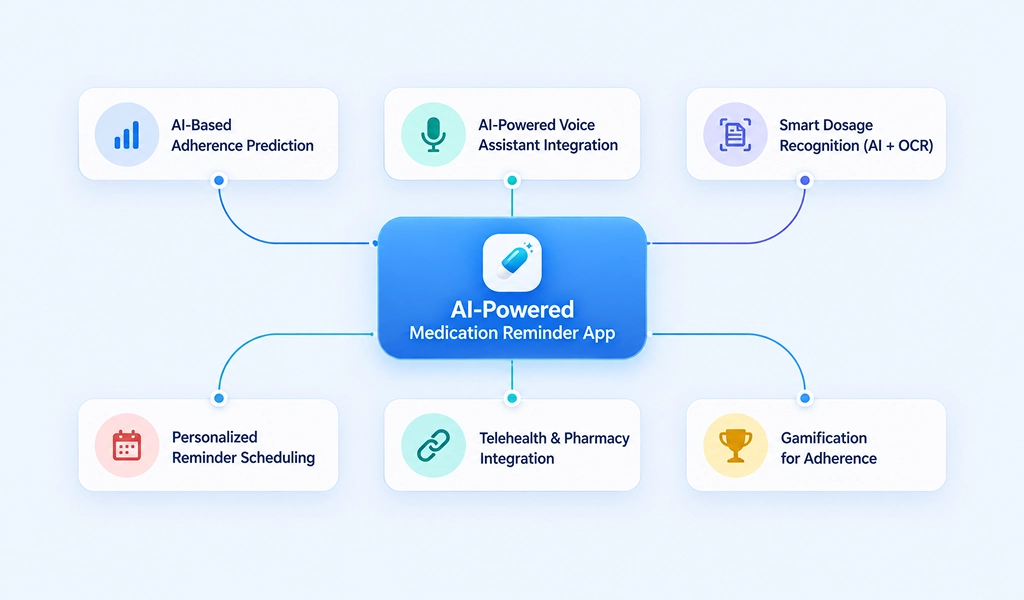
This is where things get exciting. Basic reminder mobile apps are everywhere, but AI-powered medication adherence mobile app features are what separate a forgettable app from one people genuinely rely on.
- AI-Based Adherence Prediction: The app learns a user’s habits and predicts when they’re likely to miss a dose, sending a gentle nudge beforehand.
- AI-Powered Voice Assistant Integration: Hands-free reminders and voice logging, especially useful for elderly users.
- Smart Dosage Recognition (AI + OCR): Combines image recognition with AI to read prescriptions more accurately, even messy handwriting.
- Personalized Reminder Scheduling: AI adjusts reminder timing based on meals, sleep patterns, or daily routines instead of rigid clock times.
- Telehealth & Pharmacy Integration: Connects directly with doctors or pharmacies for real-time updates.
- Gamification for Adherence: Streaks, small rewards, and progress tracking to make consistency feel rewarding, not like a chore.
Building an app with genuine AI-powered medication adherence app features takes more planning, but it’s what turns a one-time download into a daily habit, a quiet assistant learning patterns in the background, rather than a flashy add-on.
If you’re curious how AI plays out in a related healthcare app, our guide on AI symptom checker mobile app development covers similar ground.
Tech Stack for Building an AI-Powered Medication Reminder App
Choosing the right tech stack early saves you from expensive rebuilds later. Here’s a simplified breakdown developers typically use:
| Layer | Common Technologies |
|---|---|
| Frontend (Cross-Platform) | Flutter, React Native |
| Backend | Node.js, Django, or Laravel |
| Database | PostgreSQL, Firebase, MongoDB |
| AI/ML Layer | TensorFlow, OpenAI APIs, custom ML models |
| Push Notifications | Firebase Cloud Messaging, OneSignal |
| Wearable Integration | Apple HealthKit, Google Fit SDK |
If you want your app to work smoothly across both iOS and Android without doubling your budget, a cross-platform medication management app guide approach, using Flutter or React Native, is usually the smarter starting point for startups and small healthcare businesses alike.
Also worth planning early: smartwatch integration for pill reminder apps. A quiet wrist buzz is often far more effective than a phone notification buried under fifty other apps.
Compliance & Data Security
Here’s the non-negotiable part: this app deals with personal health data, so security isn’t optional; it’s the foundation of trust.
If you’re building for the US or working with any regulated healthcare data, you need a HIPAA-compliant medication reminder app from day one, not bolted on later. Key requirements include:
- End-to-end data encryption
- Secure authentication (biometric/2FA)
- Regular security audits
- Clear consent and data-sharing policies
- GDPR compliance for international users
Skipping this step doesn’t just risk legal trouble; it risks the one thing your app can’t survive without: user trust.
If you’re vetting a development partner for this, our checklist on what to verify before signing with a HIPAA & FERPA-compliant app development company is worth a read.
Step-by-Step Mobile App Development Process
Here’s roughly how a medication reminder app comes together, start to finish, with a bit more of the technical detail that usually gets skipped:
Step 1: Discovery & Research
Understand your users, competitors, and must-have features. This is also when you decide on your data model, how medications, schedules, dosages, and caregiver relationships map to your database schema.
Step 2: UI/UX Design
Simple, large text, minimal clicks, especially important for elderly users. Wireframes should account for accessibility standards (WCAG) from the start, not as an afterthought.
Step 3: MVP Development
Build the core architecture first: a scheduling engine that handles time zones and recurring dosage patterns, a reliable local notification queue (so reminders fire even if the app is closed or the device is offline), and a REST or GraphQL API layer connecting the app to your backend.
Step 4: AI Integration
Once the base app is stable, layer in smart features. This typically means training or fine-tuning a lightweight prediction model on adherence patterns, setting up an OCR pipeline (often using Google Vision API or AWS Textract) for prescription scanning, and integrating a voice API like Google Speech-to-Text for hands-free logging.
Step 5: Backend & Infrastructure
Set up cloud hosting (AWS, GCP, or Azure), configure auto-scaling for notification delivery at peak times, and build a secure API gateway with rate limiting and token-based authentication (OAuth 2.0/JWT).
Step 6: Testing
Rigorous QA across devices, especially around notification reliability under low battery, background app restrictions (Android’s Doze mode, iOS background limits), and data accuracy in dosage logs.
Step 7: Launch
App store submission, compliance checks, and marketing prep. HIPAA/GDPR documentation should be finalized and reviewed before this stage, not during.
Step 8: Post-Launch Support
Bug fixes, feature updates, performance monitoring (crash reporting via tools like Firebase Crashlytics or Sentry), and continuous user feedback loops.
Rushing any of these steps usually shows up later as bugs, missed reminders, or user drop-off, the exact opposite of what a health app should deliver.
Development Cost & Timeline Breakdown
One of the first questions every client asks is about medication tracker app development cost. While every project is different, here’s a general estimate:
| App Complexity | Features Included | Estimated Timeline | Estimated Cost |
|---|---|---|---|
| Basic MVP | Reminders, tracking, notifications | 2–3 months | $8,000 – $15,000 |
| Mid-Level App | + Caregiver sharing, OCR, refill alerts | 4–5 months | $18,000 – $30,000 |
| Advanced AI App | + AI predictions, voice assistant, wearable sync | 6–8 months | $35,000 – $60,000+ |
These numbers vary based on platform choice, team location, and design complexity, but they give a realistic starting range for budgeting your medication reminder mobile app development project.
Medication Tracker App Case Study: A Pharmacy Success Story
A neighborhood pharmacy came to us with a smaller, sharper problem: regular customers on long-term medications kept calling in confused about refill dates, and staff was spending hours each week just tracking who needed what, when.
We built a lightweight mobile app tied directly to the pharmacy’s own refill records; customers got a reminder a few days before they’d run out, with a one-tap “request refill” button.
No manual calls, no guesswork. Within the first couple of months, refill call volume dropped noticeably, and customers simply stopped running out of medication mid-week.
It’s a small example, but it makes the point: the best medication apps usually solve one clear, everyday frustration well, rather than trying to do everything at once.
How AlphaKlick Helps You Build a Medication Reminder App
This is exactly the kind of app AlphaKlick loves building, one where good design and smart engineering genuinely improve someone’s day-to-day life.
As an AI-based mobile app development company in India, along with our web and AI development services, AlphaKlick brings together:
- End-to-end medication reminder mobile app development, from wireframes to App Store launch
- Custom AI integration for adherence prediction, voice reminders, and smart scheduling
- Secure, HIPAA-compliant medication reminder app architecture built for real healthcare use
- Cross-platform development so your app runs smoothly on both iOS and Android from day one
- Ongoing support post-launch, because health apps need to evolve with real user feedback
Whether you’re a startup building your first MVP, a doctor who’s seen this exact problem in your own clinic, or a healthcare provider scaling an existing solution, the goal stays the same: build something people can actually rely on, every single day.
Have an idea for a healthcare mobile app? Book a free consultation with our team and let’s talk through it.
FAQs
Question: How long does it take to build a medication reminder app?
Answer: A basic version can take 2–3 months, while a full AI-powered app with wearable integration may take 6–8 months.
Question: How much does a medication tracker app development cost?
Answer: Costs typically range from $8,000 for a simple MVP to $60,000+ for an advanced AI-driven app, depending on features and platforms.
Question: Do medication reminder apps need to be HIPAA compliant?
Answer: Yes, if the app handles personal health data in the US, HIPAA compliance is essential to protect user privacy and avoid legal risk.
Question: Can these apps sync with smartwatches?
Answer: Absolutely, smartwatch integration for pill reminder apps is increasingly common, offering quieter, more personal reminders than phone notifications alone.
Question: What makes AI-powered reminder apps better than basic ones?
Answer: AI-powered medication adherence app features like predictive nudges and personalized scheduling significantly improve consistency compared to fixed, one-size-fits-all alarms.